
活頁筆記TabNote
TabNote左邊整排分頁,右邊隨手寫。Tabs on the left, write on the right.
目前正在封閉測試,即將在 Google Play 推出。歡迎報名當測試者,搶先試用。Currently in closed testing and coming soon to Google Play. Sign up as a tester to try it early.
它怎麼幫你Features
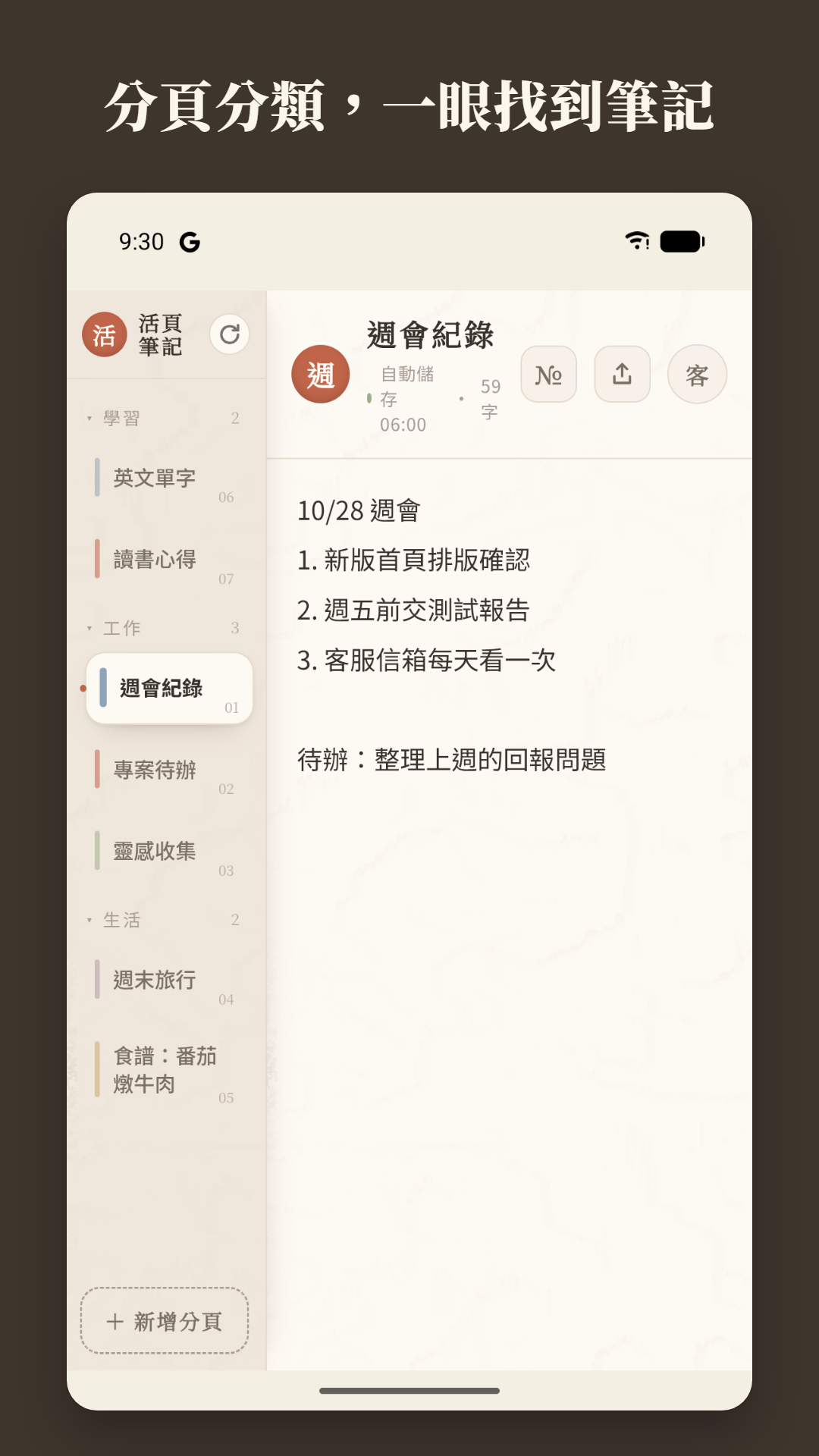
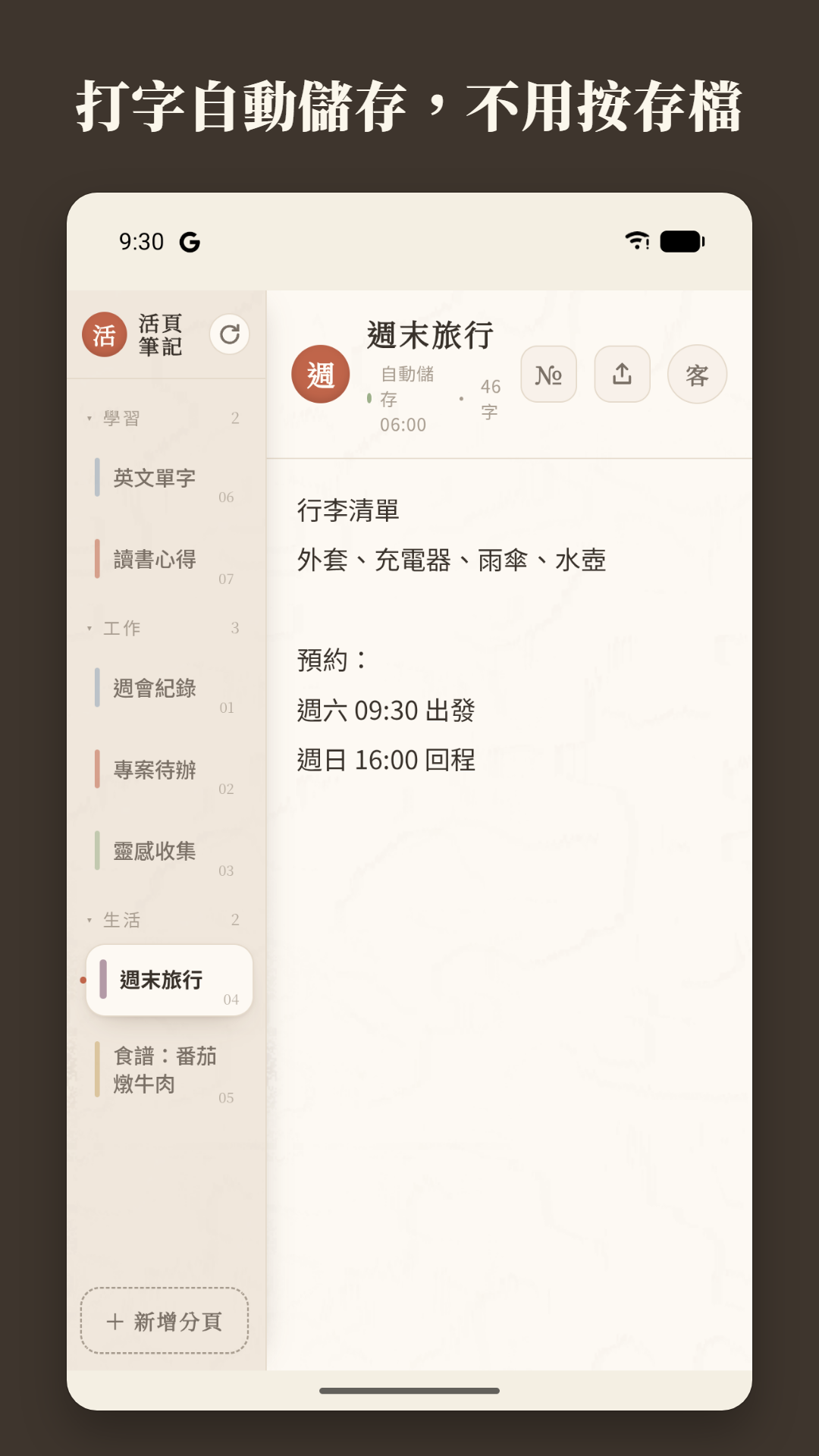
FEATURES- 01分頁記事:左欄一頁一頁,點一下就切換;打字自動儲存,不用按存檔Tabbed notes: one page per tab, tap to switch; it saves as you type, no save button
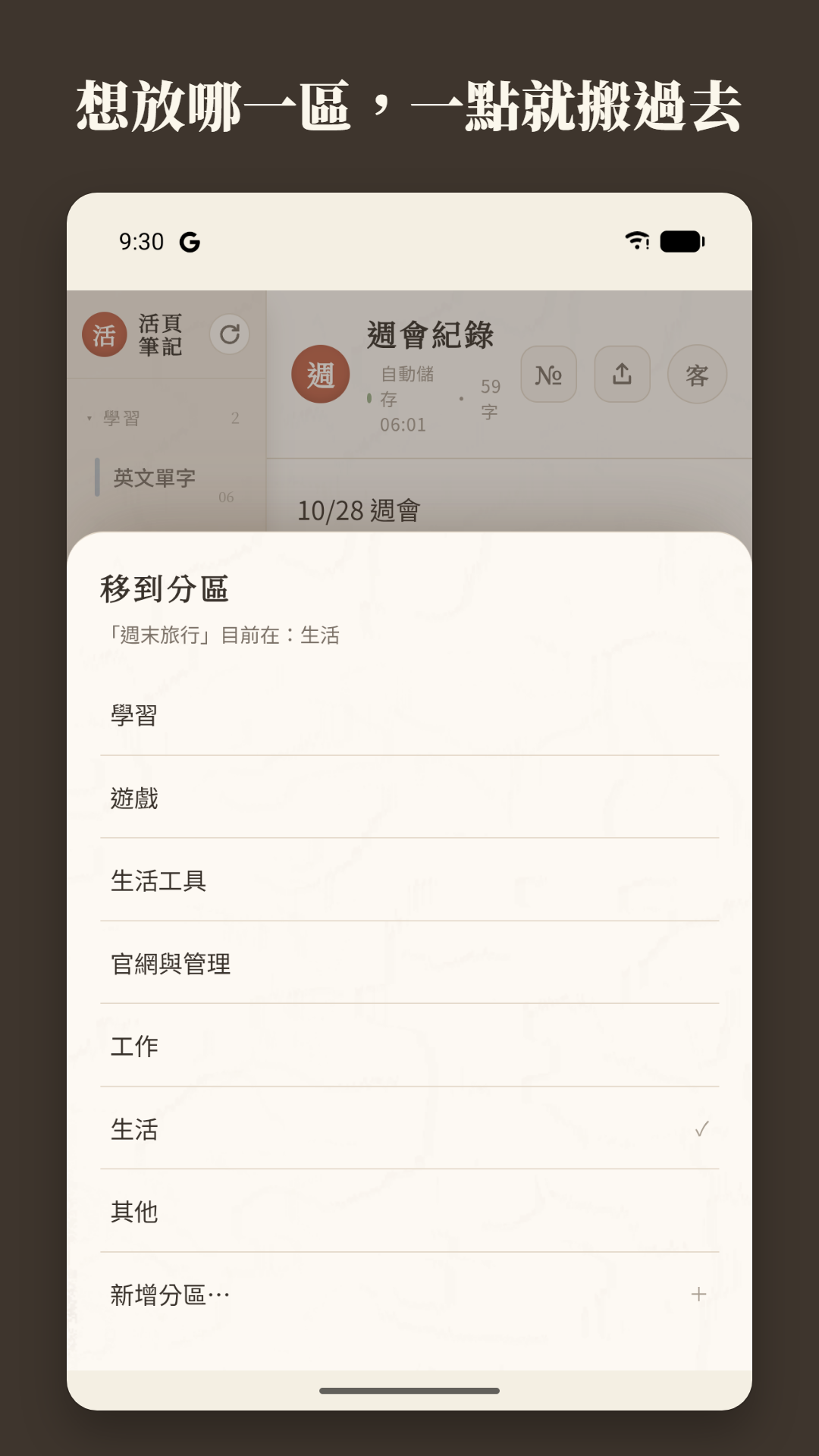
- 02分區與階層:分頁可分區、收合,也能縮進成子分頁;常用的置頂Sections and hierarchy: group and collapse tabs, indent a tab into a sub-tab, pin your favorites
- 03搜尋筆記,刪掉的分頁保留 7 天可復原Search every tab; deleted tabs are kept for 7 days and can be restored
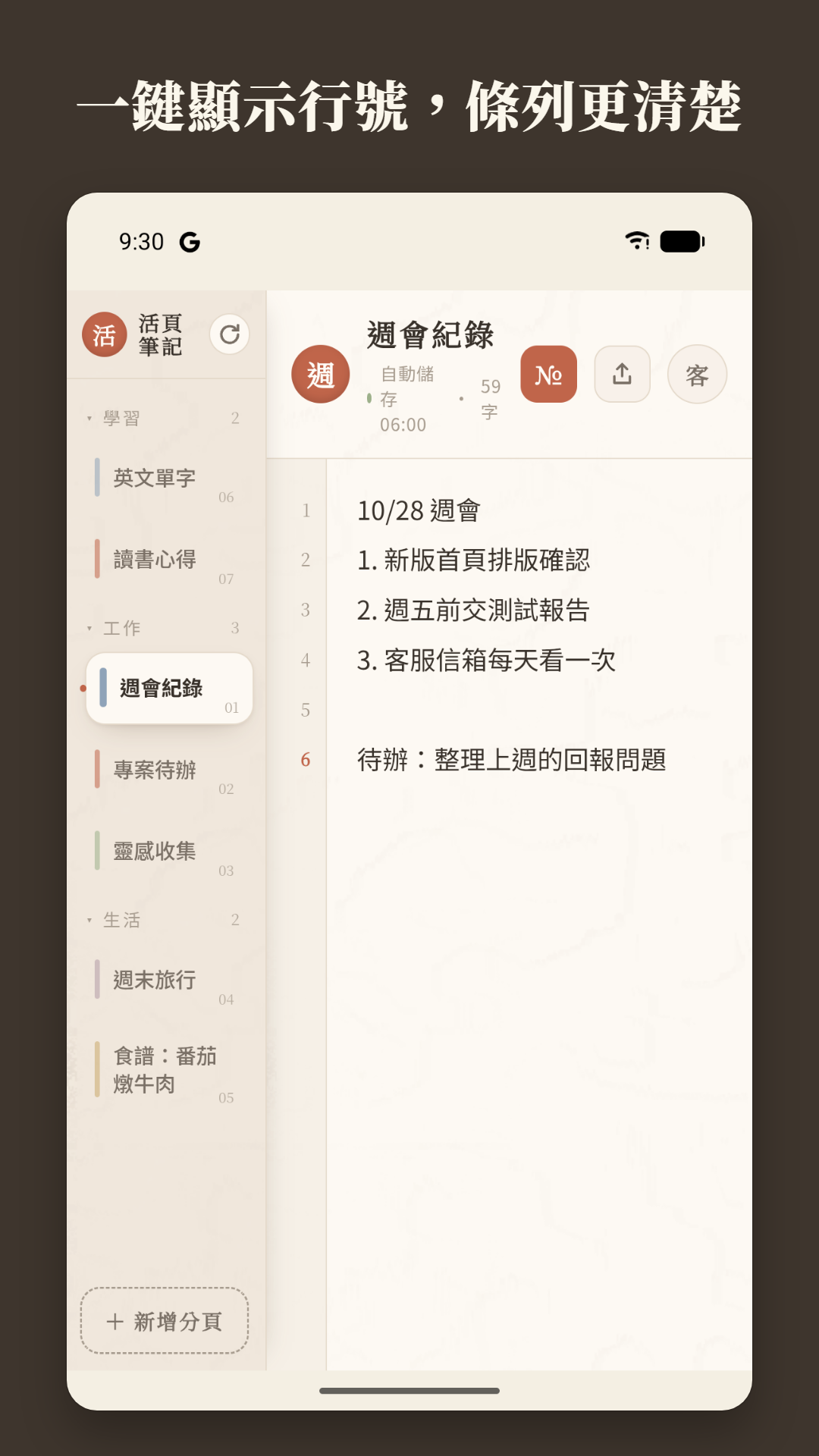
- 04外觀:8 款粉彩紙張、可調字體大小;一鍵顯示行號Appearance: 8 pastel paper colors and adjustable text size; one-tap line numbers
- 05分享前先看分享圖,可分享成圖片或文字;匯出與匯入全部筆記備份Preview the share image first, then send it as an image or text; export and import a full backup
- 06桌面小工具,不開 App 也能看到目前的筆記;支援 TalkBack 螢幕閱讀器Home screen widget shows your current note without opening the app; works with the TalkBack screen reader
顯示全部 8 項功能Show all 8 features收起Show less
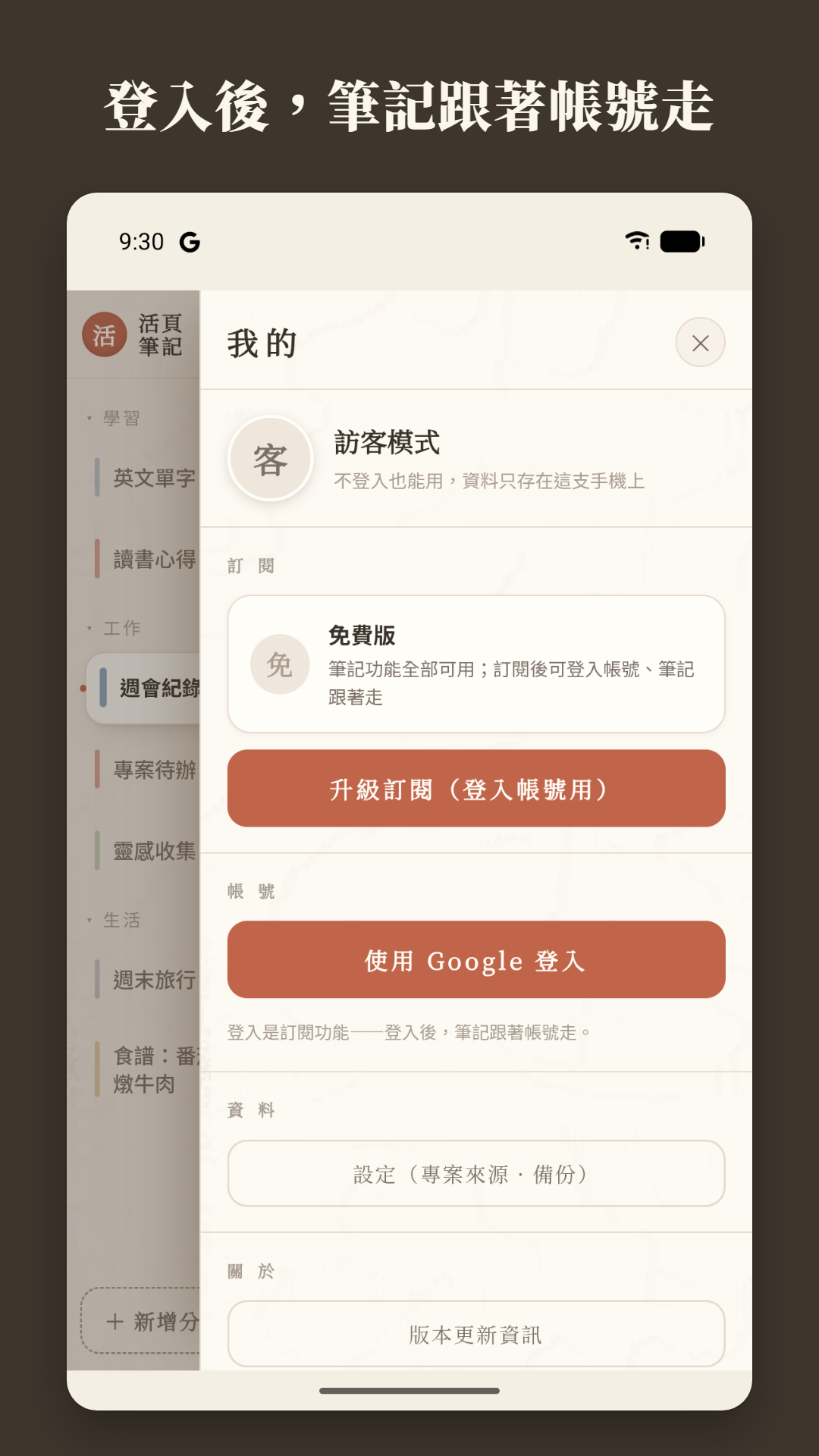
- 07雲端同步(訂閱功能):用 Google 帳號登入,多台裝置筆記一致,約 3.5 MB 雲端空間;隨時可在 App 內刪除帳號Cloud sync (subscription): sign in with Google to keep every device in step, with about 3.5 MB of cloud space; delete your account in the app any time
- 0813 種介面語言跟著手機語言切換,每個畫面都有回報問題的浮標13 interface languages that follow your phone language, with a problem-report button on every screen
畫面預覽Screenshots
介紹About
活頁筆記是像紙本活頁夾的分頁式記事本:左邊整排分頁、右邊隨手書寫,打字自動儲存、不用按存檔。分頁可依類型分區、收合,也能一鍵顯示行號。筆記預設只存在你的手機裡;訂閱後可登入 Google 帳號,把筆記同步到雲端、換手機也找得回來。TabNote is a tabbed notebook that feels like a paper binder: tabs run down the left, you write on the right, and there is no save button because it saves as you type. Group tabs into collapsible sections and turn on line numbers in one tap. Notes stay on your phone by default; with a subscription you can sign in with Google to sync them to the cloud and carry them to a new phone.
常見問題FAQ
活頁筆記需要網路或帳號嗎?Do I need internet or an account?
不需要。所有記事功能不登入也能用,筆記存在你的手機裡。訂閱後才能登入 Google 帳號並同步到雲端。No. Every note feature works without signing in, and your notes stay on your phone. Signing in and cloud sync are part of the subscription.
什麼時候推出?When is it coming out?
目前正在封閉測試,即將在 Google Play 推出,上架時會在這裡公告。Currently in closed testing and coming soon to Google Play. We'll announce the launch here.
有 iPhone 版嗎?Is there an iPhone version?
目前只有 Android 版。Not yet. It's Android only for now.
想搶先試用嗎?Want to try it early?
App 目前在 Android 封閉測試中,歡迎報名加入。The app is in a closed Android test. Sign up to join.
使用問題、建議,或要查詢、刪除你的資料,都可以來信。Email us with questions, suggestions, or requests to access or delete your data.